Risk Detail
Click a risk in the list to open its detail panel on the right.
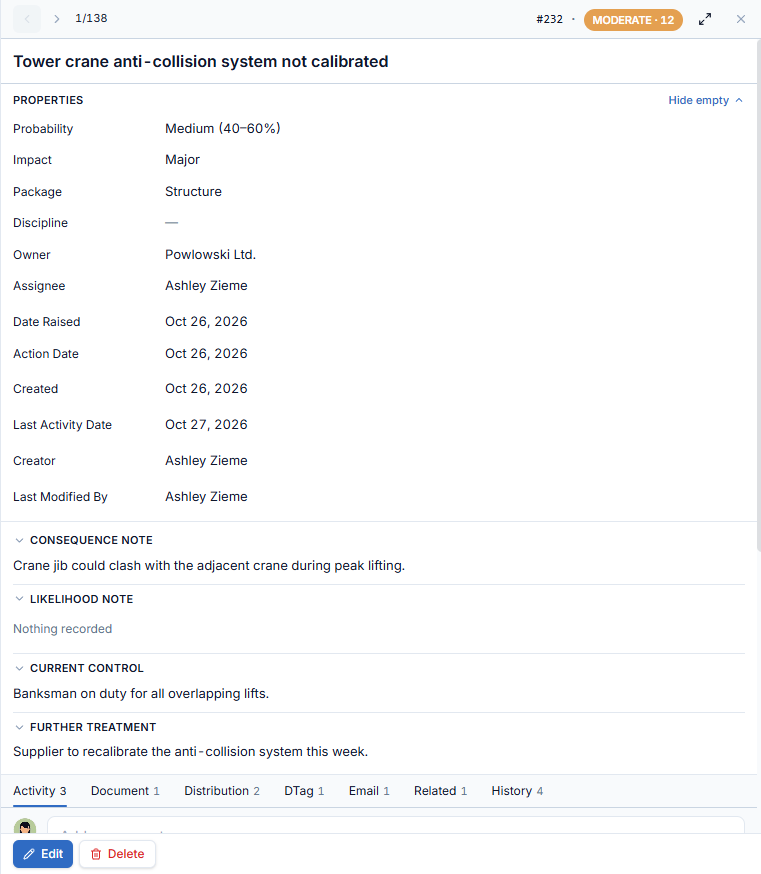
Header
- ‹ › and the position (e.g.
9/137) step through the risks in the current list. - The risk number and its rating badge.
- The expand icon widens the panel; × closes it.
Properties
Probability, Impact, Package, Discipline, Owner, Assignee, Date Raised, Action Date, Created, Last Activity Date, Creator and Last Modified By. Hide empty hides properties without a value.
Below them, the four notes — Consequence Note, Likelihood Note, Current Control and Further Treatment — each collapsible, showing "Nothing recorded" when empty.
Tabs
The tabs sit below the notes; scroll the panel down to reach them. The number next to a tab name counts its items.
Activity
Write a comment in the box and click Post. Use the toolbar for bold, italic, underline, lists and links, and the paperclip to attach files to the comment. The Timeline lists comments and events, newest first (click Newest first to reverse it). Each of your comments has Reply, Edit and Delete.
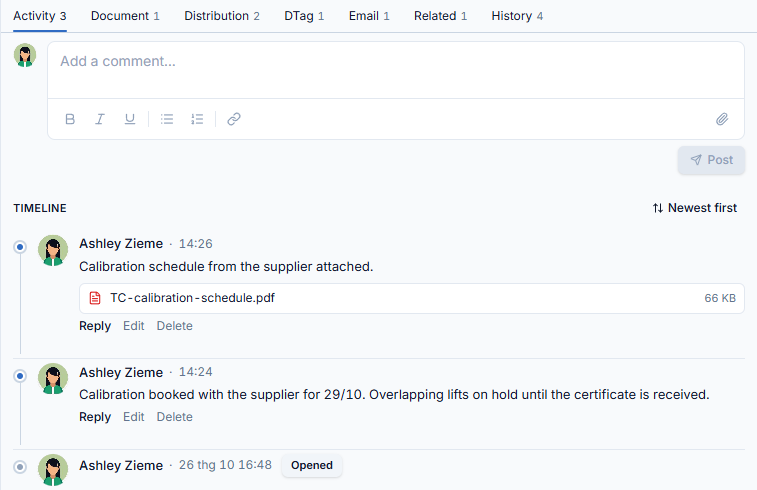
Document
Lists the files attached to the risk, including files attached to comments, with their size. Click a file to open it.

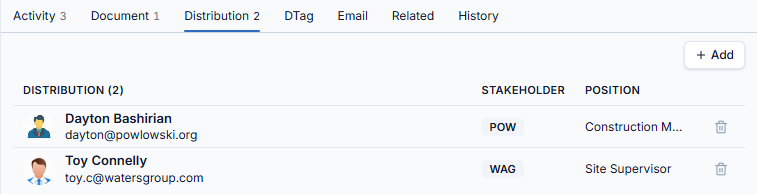
Distribution
The people notified about the risk, with their stakeholder and position. Click + Add, search and tick people, then click Add. The trash icon removes someone.
DTag
The location tags of the risk, shown as a path such as ADT (ADT) › Construction work. Click + Add, tick the tags in the tree, then click Add DTag. See DTag.

Email
The notification emails sent for the risk, with the sender, date and status (Sent). Click an email to read it: the subject, From / To / Date, the message and a Risk info table. Reply All answers everyone on the email.

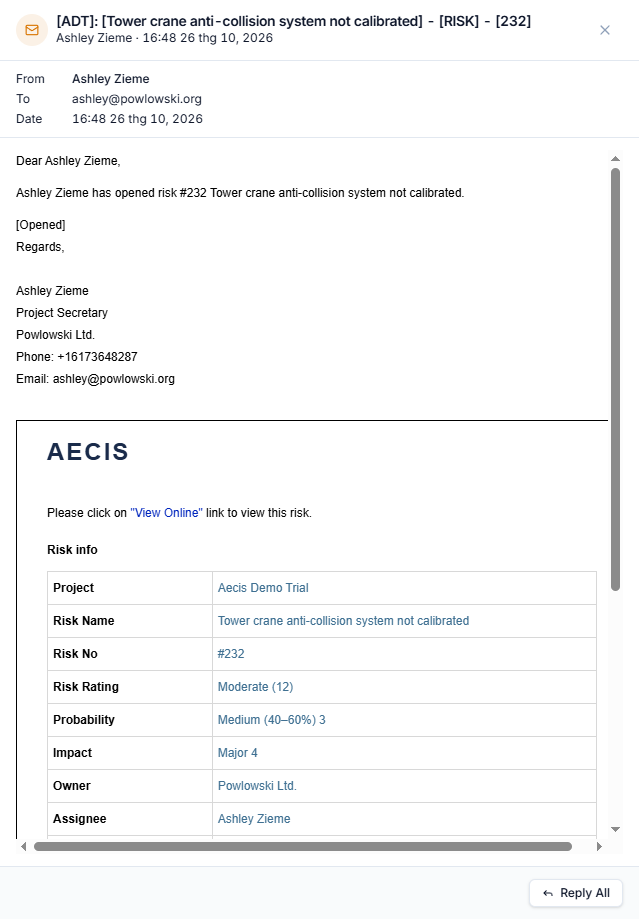
Related
Submittals, issues and other risks linked to this risk, grouped by type. Click + Link, choose the Submittal, Issue or Risk tab, tick the items and click Link Item.

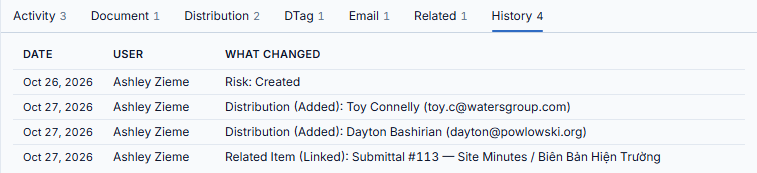
History
An audit log of changes: Date, User and What changed, for example Distribution (Added): Toy Connelly or Related Item (Linked): Submittal #113.
Actions
- Edit opens the Edit Risk panel with the same fields as New Risk. Change what you need and click Save.
- Delete removes the risk.