Email Notifications
How it works
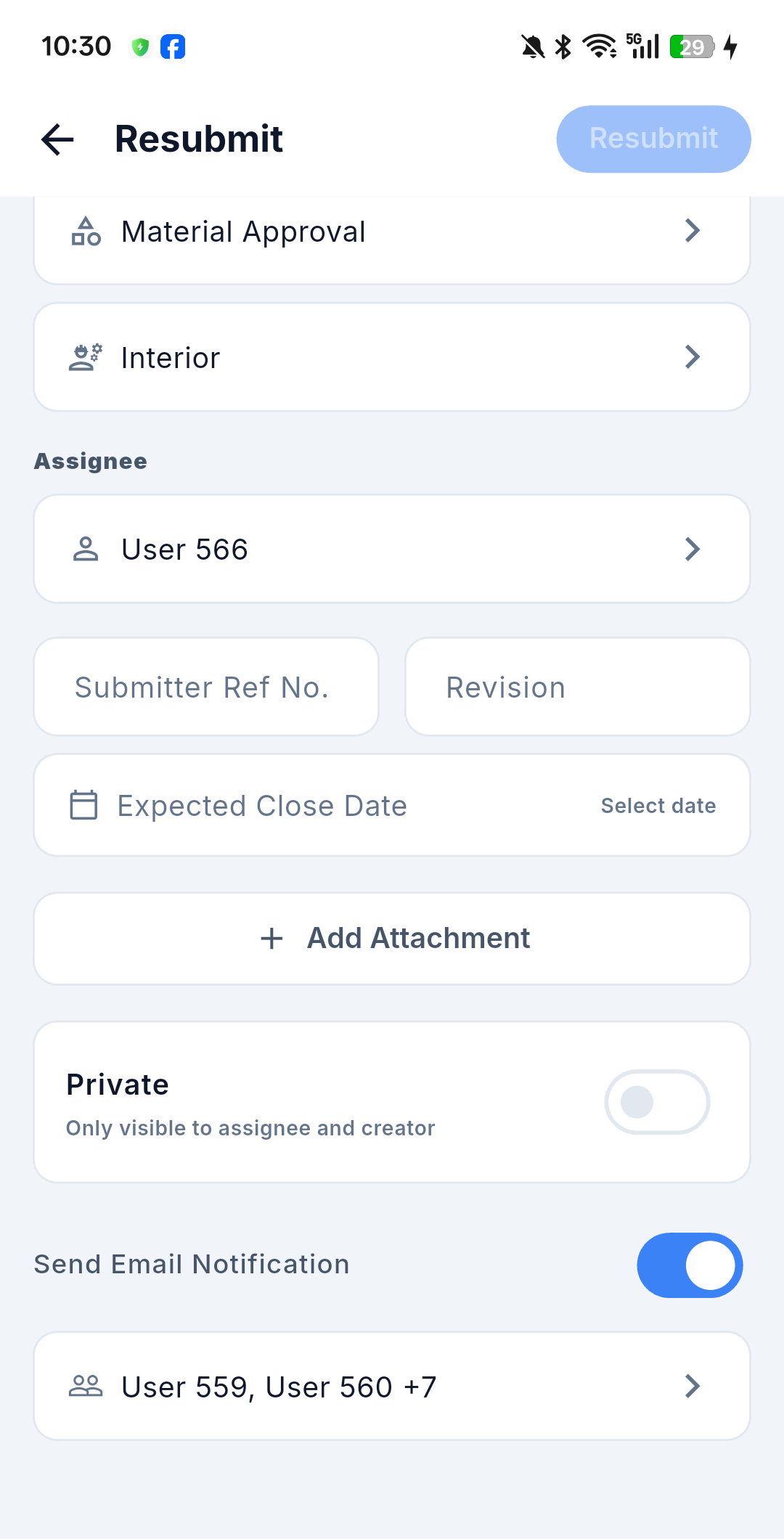
When a submittal has an action, the system emails the submittal's distribution list. Every action form carries a Send Email Notification toggle, on by default, so you decide per action whether an email goes out.
Comments also generate notification emails to the distribution list.
Managing the distribution list
The mobile detail screen has no dedicated Distribution block. The list sits directly under the Send Email Notification toggle inside each action form, pre-loaded from the submittal's current recipients and summarised as names plus a count — for example User 559, User 560 +7. Tap it to add or remove recipients.
Emails in the timeline
Mobile has no separate Email tab. Notification emails are condensed into the activity note and appear inline in the merged timeline on the detail screen. To read a full email or use Reply All, open the submittal on the web app.
In-app alerts
Email is not the only channel. The Alerts tab in the bottom bar collects the same events as in-app notifications and is shared with issues — see Issue email notifications.