The Reports Archive
Reports — the button on the roster header, or the folder button in the editor header — opens the list of PDF files the scheduled send has produced. This is the record of what actually went out. Files in the archive come only from the scheduled send and are kept indefinitely; marking a report complete never creates one.
The header
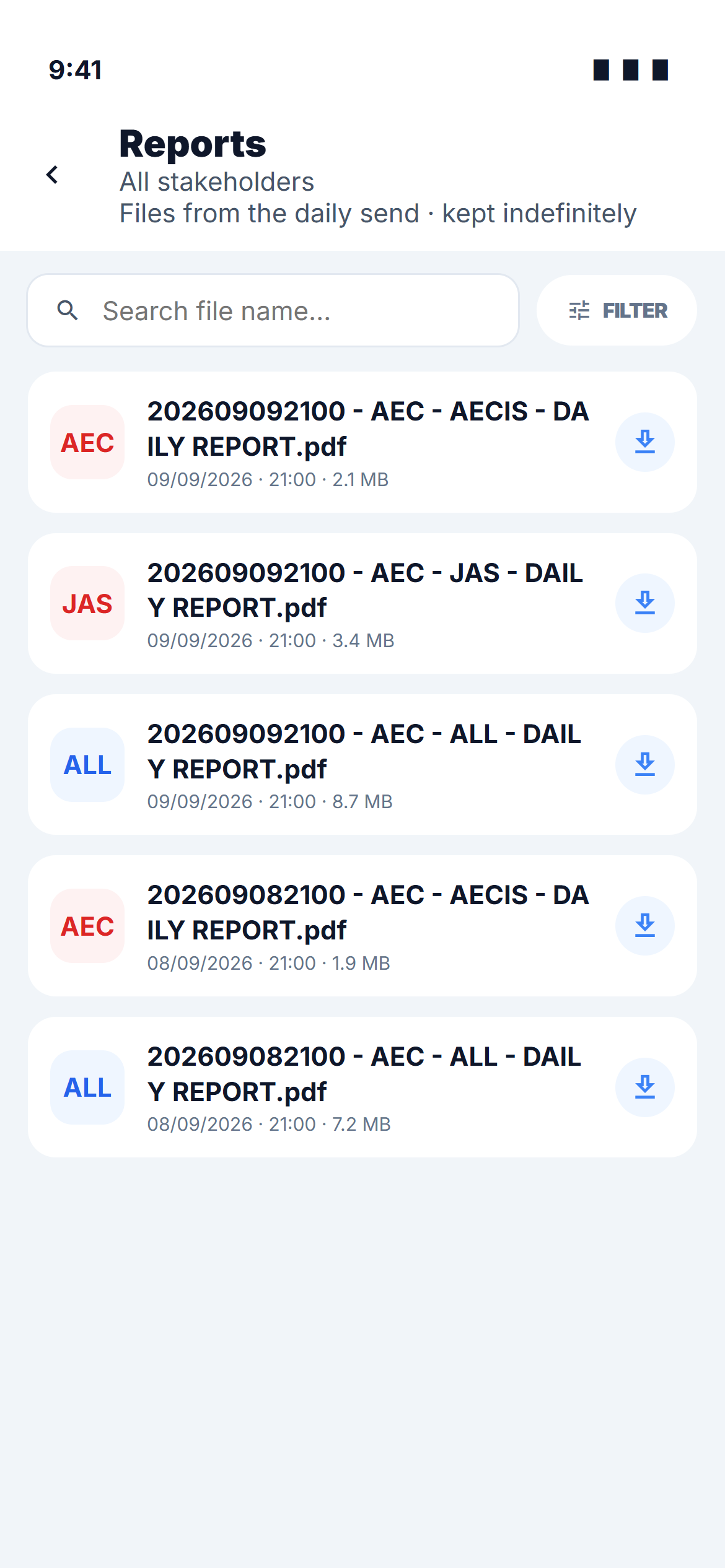
Under the title the screen states its scope — All stakeholders when you hold Read global, Reports for AECIS PTE LTD when you hold Read all — and reminds you that Files from the daily send · kept indefinitely.
A file-name search and a Filter pill sit beneath it. The pill shows how many filters are active — FILTER (2).
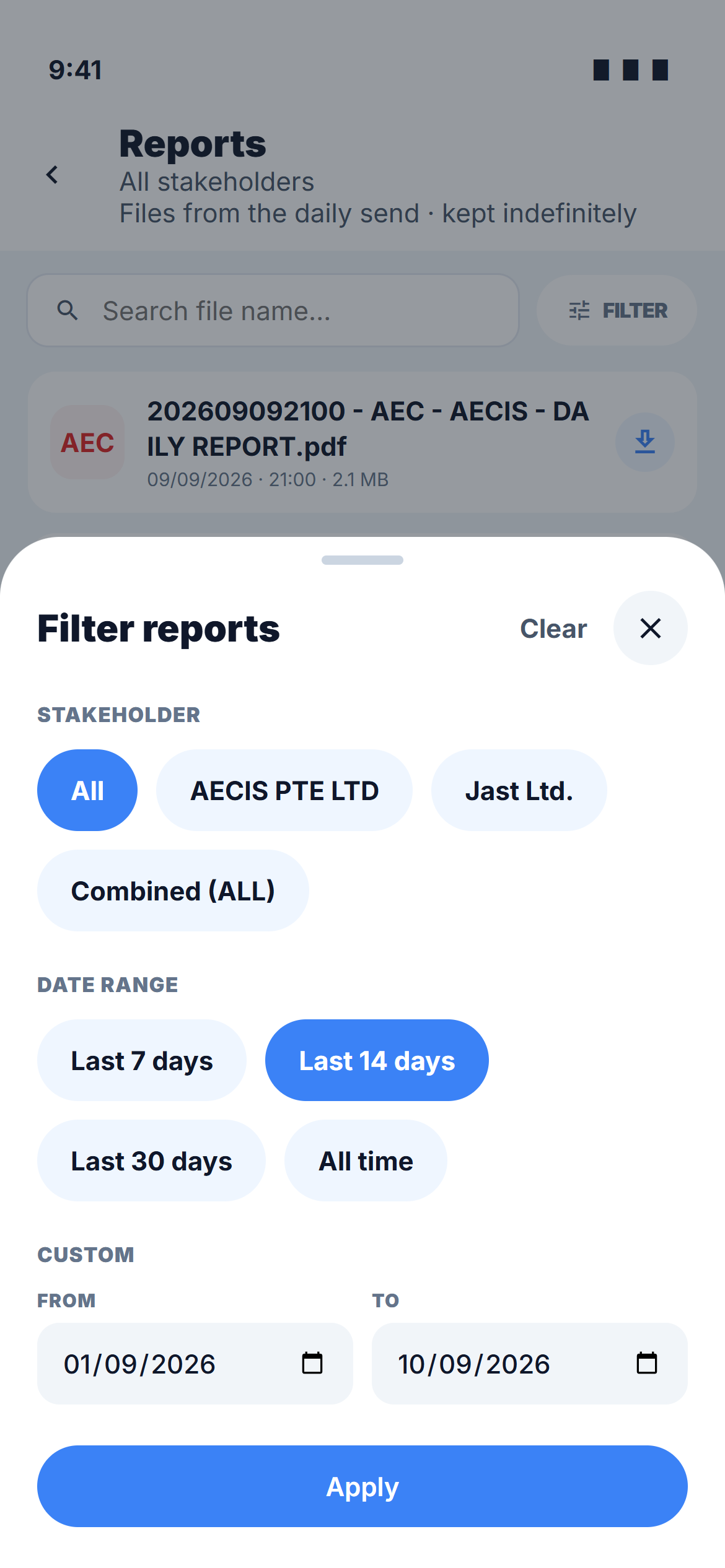
Filters
| Filter | Options | Notes |
|---|---|---|
| Stakeholder | All · one stakeholder · Combined (ALL) | Only offered with Read global |
| Date range | Last 7 days · Last 14 days (default) · Last 30 days · All time · Custom | Custom takes a From and To date; the sheet refuses a start date after the end date |
Apply closes the sheet with the new filters; Clear returns to the last 14 days and every stakeholder.
File naming
Same as on web — timestamp, project abbreviation, stakeholder abbreviation, DAILY REPORT:
202609092100 - AEC - AECIS - DAILY REPORT.pdf
The stakeholder segment reads ALL on the merged file that covers every stakeholder. Each run therefore produces one file per stakeholder plus one ALL file.
The list
One row per file, with a tag tile (the stakeholder abbreviation, or ALL in blue), the file name, and date · time · size.
| Action | How | Notes |
|---|---|---|
| Open | Tap the row | Opens the PDF in the in-app viewer. Needs a connection — offline the row says A connection is needed to open |
| Download | The ⇩ button | Needs a connection as well |
Inside the viewer, a save button puts the PDF into the phone's files — Saved to Files on device.
Who sees what
| Your permission | What the archive shows |
|---|---|
| Read all | Only the files belonging to your own stakeholder |
| Read global | Every stakeholder's files, including the combined ALL file |
Archive files are opened by link, like the notification email. The list itself loads when you open the screen; the PDFs are never stored offline by the module. Save one to the phone's files if you need it without a signal.