Daily Report Module (Mobile) — Overview
The mobile Daily Report module lets the people who are actually on site — site engineers, supervisors, subcontractor leads — keep their stakeholder's daily report up to date from the phone: type in the day's figures, attach PDFs from the device, and photograph each zone with the camera, with or without a signal.
It is the mobile counterpart of the web Daily Report module and works on the same report record. What the web does in a wide three-tab editor with drag-and-drop, the phone does with one hand, a camera, and a queue that sends when you are back online.
You will find it under Tools as Daily Report, alongside Issues, Submittals, DMaps and Scan QR. The tool row shows the report's send deadline for today, and a NEW tag while the module is fresh on your account.
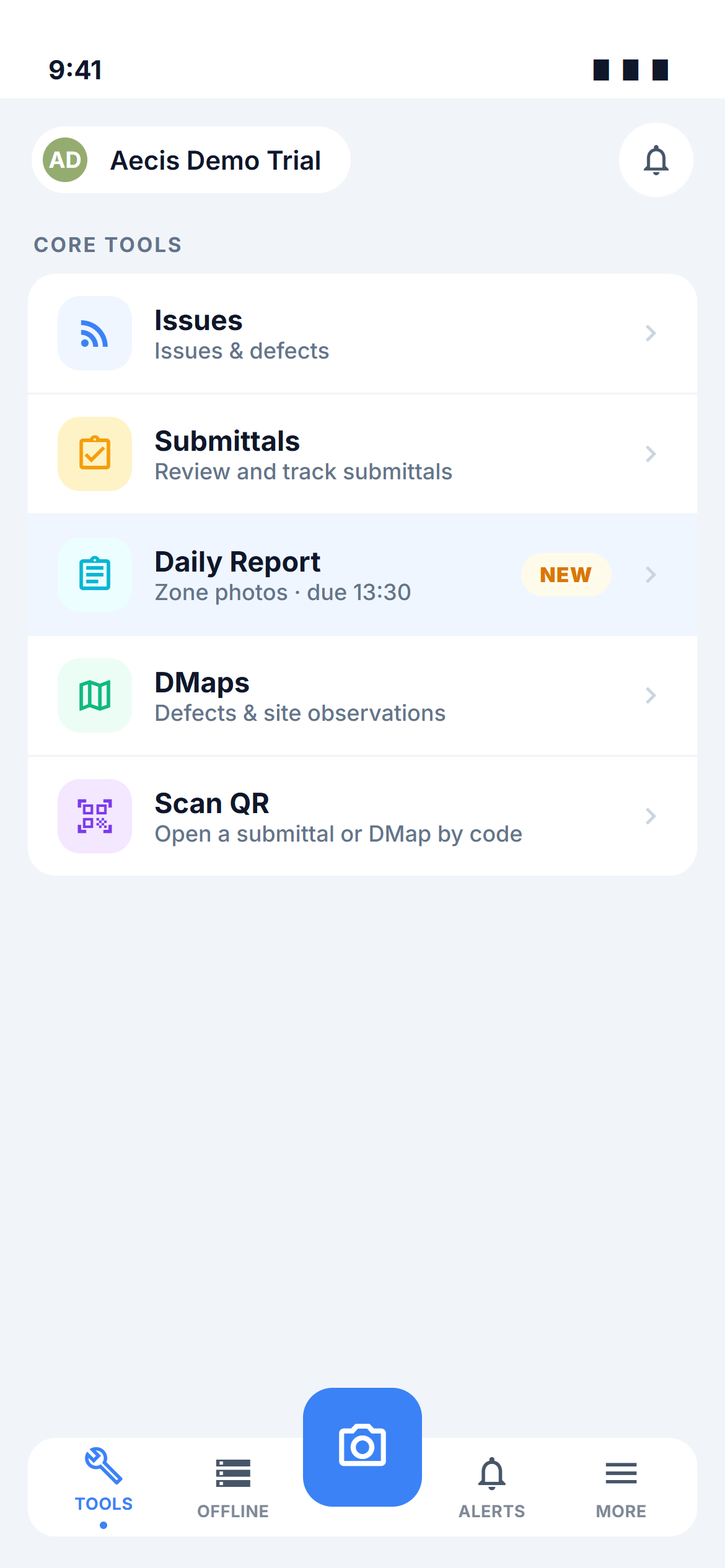
One report per stakeholder — the same rule as on web
There is no entry per calendar date. Each stakeholder on the project has exactly one living report that is edited continuously, and the daily rhythm comes from the project's scheduled send: at the configured time AECIS snapshots every stakeholder's current report, compiles it into a PDF, files it in the Reports archive and emails the project.
The consequence for the phone: the deadline shown everywhere in the module is the scheduled send time, and anything you change after that time counts towards the next send.
Key concepts
| Term | Meaning |
|---|---|
| Daily Report | A stakeholder's living report record — one per stakeholder per project |
| Stakeholder | A company / party on the project; shown by name and a three-letter abbreviation |
| Zone | A node in the project's shared DTag tree; photos are filed by zone and the compiled report prints them zone by zone |
| Compiled report | The PDF assembled from a stakeholder's report data at send time |
| Preview | The screen that renders the compiled report exactly as the next send would produce it |
| Mark as complete | The stamp that records who declared the report done and when — it does not send anything |
| Reports archive | The read-only list of PDF files the scheduled send has produced |
| Draft | Text you typed that is still only on this device — not yet saved to the project (mobile-only) |
| Pending | A saved change, photo or PDF waiting for a connection to reach the project (mobile-only) |
What the module is made of
| Screen | Purpose |
|---|---|
| Stakeholder roster | One card per stakeholder: who updated last, sync state, completion, and the enable/disable switch |
| Editor | The three tabs of one stakeholder's report — Report, Attachments and Zone Photos — with autosave |
| Attachments | PDF files picked from the phone's own files |
| Zone Photos | Camera capture and library picks, zone by zone, with a caption per photo |
| Preview and Mark as complete | See the compiled PDF, download it, and stamp the report complete |
| Reports archive | Open and save the PDFs the scheduled send produced |
Two roles, two entry points
The module reads the same four permissions as the web — Read all / Write all for your own stakeholder, Read global / Write global for every stakeholder in the project (see Who can do what).
| Your reach | Where Daily Report opens |
|---|---|
| Read global / Write global (PM, CM) | The stakeholder roster — pick a stakeholder to open their report |
| Read all / Write all (everyone else) | Straight into your own stakeholder's report, on the Report tab. There is no roster to go through |
The archive follows the same reach: Read all shows only your stakeholder's files, Read global shows every stakeholder's files plus the combined ALL file.
What mobile is best at
- Photographing the site, zone by zone — every zone section has its own camera button; you shoot a burst, review it, and the whole batch lands in that zone in one go. See Zone Photos.
- Never losing what you typed — every keystroke is kept on the device and survives closing the app; saving to the project happens by itself. See Filling In a Report.
- Working with no signal — figures, photos and PDFs are saved on the device and sent automatically when you are back online. See Working Offline & Sync.
Project configuration — the zone scope and the send schedule — stays on the web under Project Settings. Deleting a report is not possible on either platform: a daily report is a dated site record that is only ever disabled, never removed.
The module never shows a "sent" state for your work. Saving puts data on the project; marking complete records a stamp; only the scheduled send produces and emails a PDF. The two states you see — save state and completion — are shown separately and never merge into a "sent" label. See Web ↔ Mobile differences.