Attachments, Distribution & History
Three buttons in the editor header open side panels on the right of the form.
Attachments
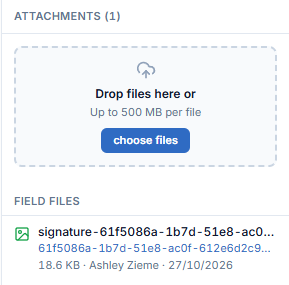
Add supporting files to the form.
- Drag files onto Drop files here, or click choose files. Max 500 MB per file.
- Field files lists the files added through fields on the form, such as signatures, with size, uploader and date.
Distribution
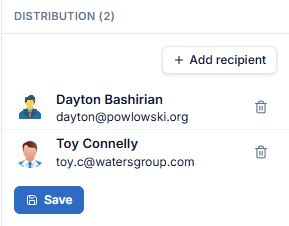
Choose who receives notifications when the form is submitted.
The list may already contain recipients from the form template.
- Click + Add recipient. The Add recipients panel lists the project members grouped by company.
- Search by name, tick one or more people, and click Add N.
- Click the trash icon on a row to remove someone.
- Click Save.
History
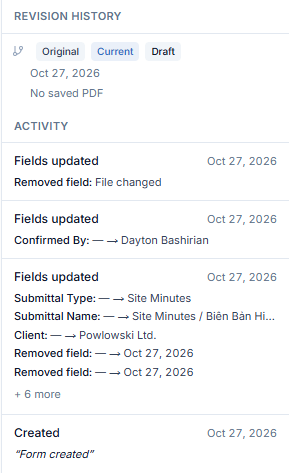
- Revision history lists the PDF revisions of the form (Original, Current, Draft). Before the form is submitted it shows "No saved PDF".
- Activity logs what happened to the form, newest first. Each Fields updated entry lists the changed fields as
old → new, for example Confirmed By: — → Dayton Bashirian.