Attachments
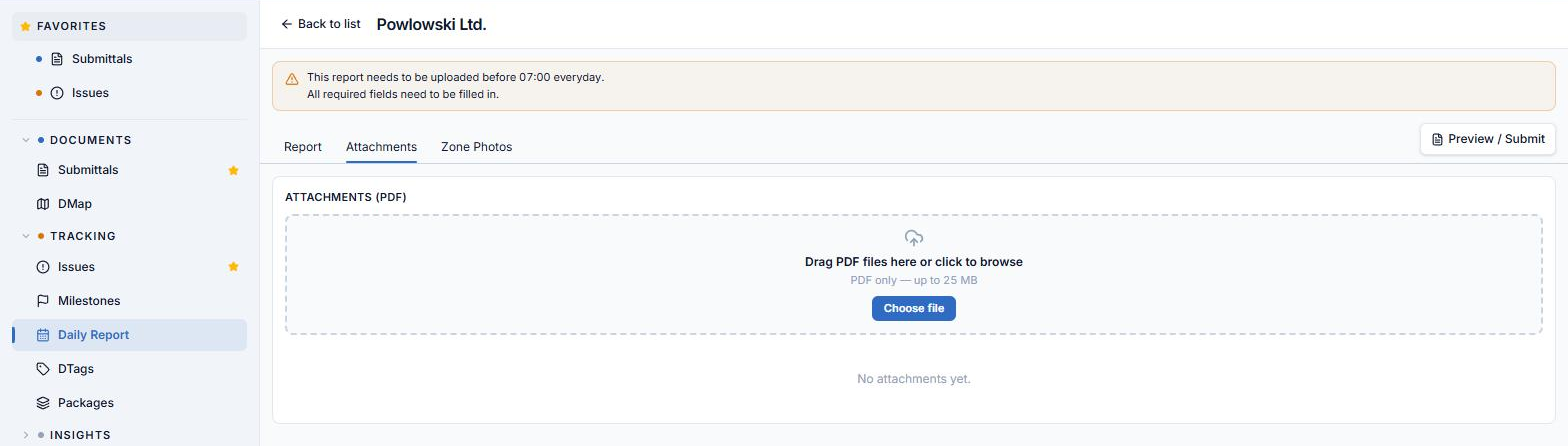
The Attachments tab holds the report's PDF files — method statements, checklists, signed records, anything that belongs with the day's report as a document rather than a photo.
PDF only. Non-PDF files are silently ignored.
Uploading
Two ways in, feeding exactly the same upload flow:
- Drag and drop — the whole Attachments panel is a drop target, not just the small card. Drop a file anywhere over the list and it uploads; the panel highlights while you drag over it.
- Choose file — the dashed-border drop card at the top carries an upload icon and a Choose file button that opens the file picker.
This is the same attachment pattern used when creating a Submittal or an Issue, so it should already feel familiar.
The file list
Uploaded files render as a row list, one row per file:
| Part of the row | Shows |
|---|---|
| PDF icon | File type |
| File name | The uploaded name |
| Metadata line | size · uploader · upload time |
| Actions | Download and delete — they appear on hover rather than sitting always-visible |
The attachment count on this tab feeds the Attachments column on the roster.